Tool Insights
Home > Tools > Tool Details

CLIP Interrogator

Description

An AI tool that analyzes images and generates the perfect text prompts to recreate or modify them using AI image generators.
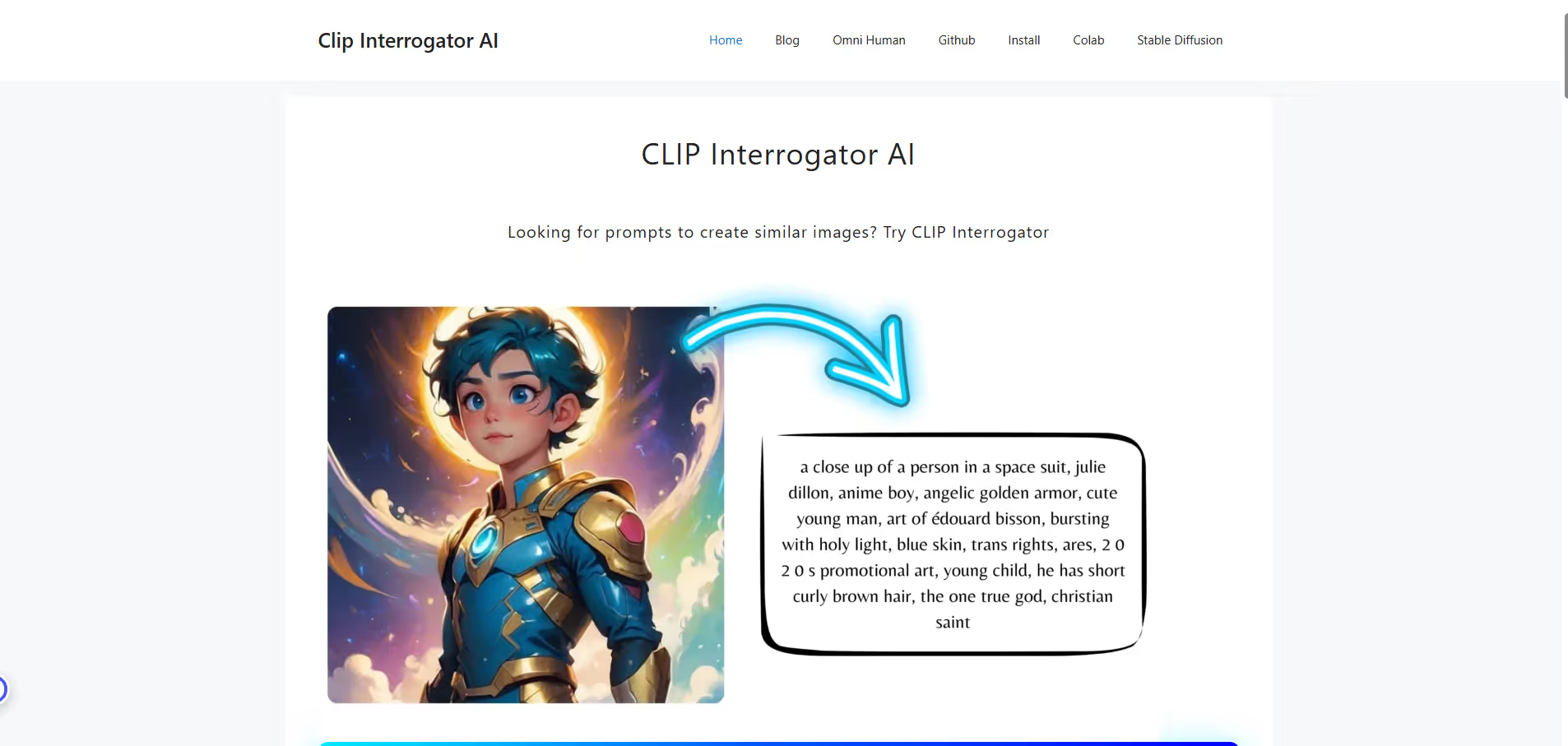
CLIP Interrogator is a specialized AI tool that bridges the gap between visual content and text-based AI image generation. Using OpenAI's CLIP (Contrastive Language-Image Pre-training) model and BLIP (Bootstrapping Language-Image Pre-training), it analyzes any uploaded image and reverse-engineers the most effective text prompts that would generate similar images in AI systems like Stable Diffusion, DALL-E, or Midjourney. The tool examines visual elements, styles, composition, and artistic techniques to create detailed, optimized prompts that capture the essence of the original image. It's particularly valuable for digital artists, content creators, and AI enthusiasts who want to understand how to better communicate their visual ideas to AI image generators.

Key Applications

  • Reverse-engineering AI image prompts
  • Improving prompt engineering skills
  • Style analysis and replication
  • AI art creation optimization
  • Learning visual-to-text translation
  • Image style transfer preparation
Black dot centered on a transparent background.
A red round push button with a white dot in the center on a black base.
Black solid circle on a white background.
Vector illustration of a large white and purple feather.
Purple dot on a transparent gray grid background.
White dot on a solid black background.

Who It’s For

CLIP Interrogator is designed for AI artists, digital creators, prompt engineers, researchers, and anyone working with AI image generation who wants to improve their prompt crafting skills.

Pros & Cons

Pros Cons
✔️ Excellent for learning prompt engineering ✖️ Generated prompts may not perfectly recreate images
✔️ Completely free and open-source ✖️ Requires technical knowledge for self-hosting
✔️ Helps understand AI "vision" and perception ✖️ Limited to styles present in training data
✔️ Saves time on prompt experimentation ✖️ Can produce overly complex or verbose prompts
✔️ Useful for style analysis and replication ✖️ May miss nuanced artistic elements
Pros Cons
Very beginner-friendly Limited features compared to Others
Clean interface Less feature depth than others
Helpful community and resources Can feel slower at scale

How It Compares

  • Versus manual prompt guessing: Systematic analysis vs trial and error
  • Versus basic image tagging: Detailed stylistic analysis vs simple object identification
  • Versus other AI tools: Specialized prompt optimization vs general image analysis
  • Versus traditional image search: Creative prompt generation vs similarity matching
White cursor pointer clicking on a blue dotted line with a small blue square at the end.
Black square with a fine white pixel border on a transparent background.
White scientific dot or connector symbol on a transparent background.
White circle with black dots scattered unevenly inside, resembling Braille pattern.

Bullet Point Features

  • Image-to-prompt conversion
  • Multiple AI model support (CLIP+BLIP)
  • Style and artist identification
  • Prompt optimization suggestions
  • Batch image processing
  • Open-source and customizable
Black dot centered on a white background.
Black dot on a white background.
Black circle with a white dot in the center on a transparent background.
White dot on a solid black background.
Black dot centered on a white square background.
Blue circle with a white checkmark in the center.

Frequently Asked Questions

Find quick answers about this tool’s features, usage ,Compares, and support to get started with confidence.

What is Whisk AI’s primary purpose?
Plus sign icon with small dots forming a grid inside the shape.

Whisper AI is a conversational‑writing assistant that helps creators generate, edit, and polish written content for marketing, blog posts, and social‑media captions. The platform’s AI engine evaluates the target audience, tone, and purpose, then suggests revisions that improve clarity, engagement, and SEO‑readability.

How does Whisper AI’s AI technology work?
Green circle with a white plus sign in the center.

The AI employs a fine‑tuned language model trained on millions of published articles, so it can identify tone cues, rewrite sentences for optimal readability, and recommend phrasing that aligns with a brand’s tone. The system also flags potential plagiarism and suggests citations where appropriate.

Can Whisper AI integrate with existing writing tools?
Mathematical equation with a large plus sign highlighted in yellow background.

Yes. Whisper AI connects via API to popular writing platforms such as Google Docs, Microsoft Word, and Grammarly, allowing users to invoke the assistant directly from their editing environment. The integration syncs edits in real‑time and preserves version history.

What are the pricing tiers for Whisper AI?
White plus sign on a transparent background.

The service offers a free tier with up to 1 000 words per month, a Pro tier with 10 000 words/month and premium features (tone‑adjustment, multi‑language support), and an Enterprise plan that adds custom workflow integrations and priority support.

How does Whisper AI protect user data?
Mathematical puzzle image showing a 9+4=2 equation with colorful number tiles on a blue grid background.

All generated text is stored encrypted at rest, and the platform complies with GDPR and GDPR‑II standards. Users can enable “private mode” to keep their drafts local to their device, and the service automatically deletes drafts after 30 days unless explicitly saved.
CLIP Interrogator
White text reading 'COMING SOON' on a dark blue background with scattered light particles and a glowing horizontal light effect.
#AIArt #Prompting #TextToImage
Free
Al Image Generators

Disclosure

All product names, logos and brands are property of their respective owners. Use is for educational and informational purposes only and does not imply endorsement. Links are to third-party sites not affiliated with Barndoor AI. Please see our Terms & Conditions for additional information.

Reviews from Our Users

Five white stars in green squares indicating a five-star rating.
8.07.2021
Trustpilot company logo featuring a green star above the word Trustpilot in white on a dark background.

"Overall, I like the core features, but the mobile UI still feels a bit clunky. Hope they fix this in future updates."

Smiling young man with short brown hair wearing a white shirt, set against a dark blue background with yellow circular patterns.
Tom W.
Marketing Manager
trustplilot-img
06/10/2025
Trustpilot logo featuring a green star above the white text 'Trustpilot' on a dark blue circular background.

"Their support team actually listens to feedback! I’ve seen new features added within weeks. That’s impressive.''

Smiling young man with dark hair and light facial hair on a dark blue background with yellow circular accents.
Alex Carter
Freelancer
Five white stars in green squares representing a five-star rating.
03/09/2025
Trustpilot logo featuring a green star above the word 'Trustpilot' on a dark blue circular background.

"Some advanced options take a bit of time to understand, but once you get the hang of it, it’s incredibly powerful."

Smiling man with beard and glasses wearing a gray suit jacket and white shirt against a light gray background.
Ryan Blake
SaaS Consultant
Five white stars on green squares indicating a five-star rating.
12/08/2025
Trustpilot logo with a green star and white text on a dark background.

"I’ve tried several similar tools, but this one stands out for its clean interface and automation features. Totally worth the subscription."


Smiling young woman with long brown hair wearing a gray blazer and white shirt against a plain light background.
Sarah Mitchell
GrowthWave Agency