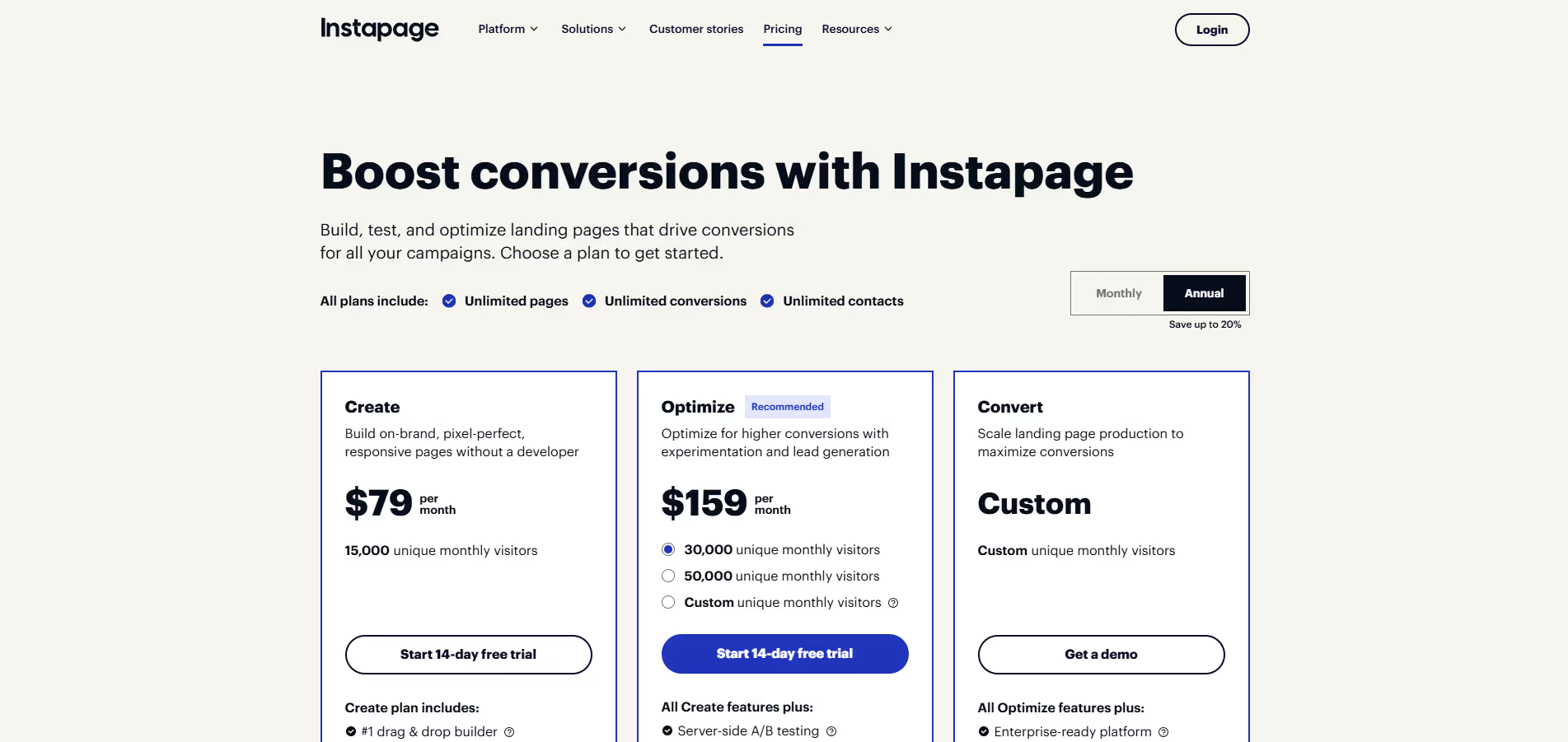
Instapage
Key Applications
- Campaign Optimization: Creating dedicated landing pages for paid advertising campaigns (Google Ads, Facebook Ads) to improve ad relevance scores and conversion rates.
- Lead Generation: Designing targeted landing pages with compelling calls-to-action to capture leads effectively for various marketing initiatives.
- Conversion Rate Optimization (CRO): Utilizing A/B testing, heatmaps, and analytics to continuously refine page elements and improve overall conversion performance.
- Personalized Experiences: Delivering unique landing page content based on visitor demographics, ad groups, or user behavior for enhanced engagement and relevance.
Who It’s For
Digital marketers, marketing teams, agencies, and businesses of all sizes who rely on paid advertising and need to maximize their ad spend ROI through highly optimized, conversion-focused landing pages.
Pros & Cons
| Pros |
Cons |
| ✔️ Deep focus on ad-to-page relevancy to boost Quality Score. |
✖️ Higher price point, potentially prohibitive for small businesses. |
| ✔️ Powerful A/B testing and personalization capabilities for CRO. |
✖️ No free plan or extensive trial to fully evaluate features. |
| ✔️ Intuitive drag-and-drop builder with robust customization options. |
✖️ Steeper learning curve for advanced dynamic content and integrations. |
| Pros |
Cons |
| ✔ Very beginner-friendly |
✖ Limited features compared to Others |
| ✔ Clean interface |
✖ Less feature depth than others |
| ✔ Helpful community and resources |
✖ Can feel slower at scale |
How It Compares
- Versus Unbounce: Instapage often focuses more heavily on ad-to-page relevancy and advanced personalization at scale, while Unbounce is known for its broader range of conversion tools and a slightly more flexible builder for complex custom scripts.
- Versus Leadpages: Instapage provides more sophisticated A/B testing, heatmaps, and enterprise-grade personalization features, making it suitable for high-volume campaigns, whereas Leadpages is generally more accessible and affordable for small to medium businesses prioritizing simplicity.
Bullet Point Features
- Intuitive Drag-and-Drop Landing Page Builder Heatmaps Dynamic Text Replacement (DTR) AdMap® for Ad-to-Page .
- Relevancy Conversion Analytics and Detailed Reporting Thor Render Engine for Ultra-Fast Page Load .
- Times Global Blocks for Reusable Content Team Collaboration and Workflow .
- Tools Extensive Integrations with CRMs, email marketing, and analytics platforms.
Frequently Asked Questions
Find quick answers about this tool’s features, usage ,Compares, and support to get started with confidence.
What is Instapage and what is it used for?

Instapage is a landing page builder and conversion optimization platform designed to help businesses create, publish, and optimize high-converting landing pages. It simplifies the process of building pages that drive leads and sales.
How does Instapage simplify landing page creation?

Instapage provides a drag-and-drop editor, pre-built templates, A/B testing, and integration with marketing tools. Users can quickly design and launch landing pages without coding, ensuring a fast and efficient workflow.
What features does Instapage offer?

Instapage offers landing page design, A/B testing, heatmaps, analytics, conversion tracking, integrations with CRM and email tools, and personalization features. It helps marketers optimize pages for maximum engagement and conversions.
Is Instapage suitable for beginners?

Yes, Instapage is beginner-friendly. Its intuitive drag-and-drop editor, template library, and step-by-step guidance make it easy for users with no technical background to create professional landing pages.
Who should use Instapage and what benefits can they expect?

Instapage is ideal for marketers, small business owners, agencies, and entrepreneurs. Users can expect faster landing page creation, higher conversion rates, improved campaign performance, actionable insights, and seamless integration with marketing tools, helping them grow leads and revenue effectively.