Tool Insights
Home > Tools > Tool Details

LALAL.ai

Description

AI-powered tool to split tracks into multiple stems and clean up vocals or instruments.
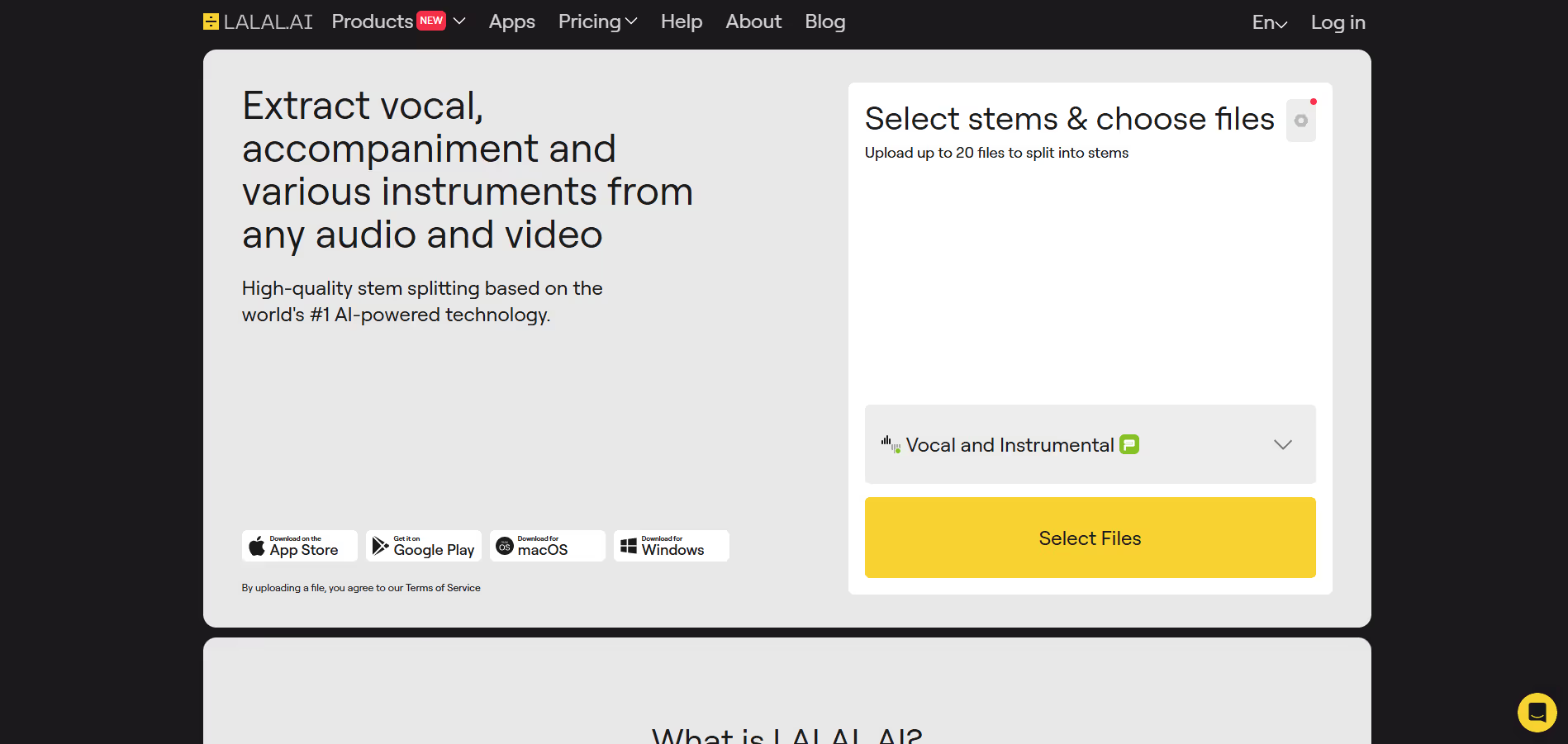
LALAL.ai is a powerful AI-based audio processing platform that lets users split audio or video files into individual stems (vocals, drums, bass, piano, electric guitar, acoustic guitar, synthesizer, wind, strings, etc.) and clean up audio (remove noise, echo). It works via web, mobile apps, and supports batch uploads. You can preview separated stems before committing to the full split. Premium features include faster processing (fast queue / priority), larger file size uploads, video file support, and enhanced processing modes (e.g. “Clear Cut” or “Deep Extraction”) for cleaner separations.

Key Applications

  • Separation into up to ~10 stems including vocals, drums, bass, piano, electric & acoustic guitar, synthesizer, strings, wind instruments.
  • Voice / noise cleaning, de-echo, noise removal.
  • Batch upload, stem preview before full processing.
  • Support for many file formats (audio & video), e.g., MP3, WAV, FLAC, MP4, MKV, etc.
  • Mobile apps (iOS/Android), and “extract multiple stems from one upload” so you don’t need to re-upload for each stem.
Black dot centered on a transparent background.
A red round push button with a white dot in the center on a black base.
Black solid circle on a white background.
Vector illustration of a large white and purple feather.
Purple dot on a transparent gray grid background.
White dot on a solid black background.

Who It’s For

LALAL.ai is ideal for musicians, producers, content creators, remixers, DJs, podcasters, and video editors who need clean, isolated audio stems. It helps those who want to remix songs, karaoke-ify tracks, isolate voice or instrument parts, or improve audio quality of recordings. If you frequently work with audio/video editing and want fast, high quality stem separation or cleaning, this tool provides a lot of value.

Pros & Cons

Pros Cons
✔️ High-quality stem separation including many instruments, not just vocals/instrumentals. ✖️ Best features require paid plans; free version is limited. :contentReference[oaicite:16]{index=16}
✔️ Supports audio + video formats, batch uploads, preview before processing. ✖️ Processing speed depends on plan; large or complex files may take longer.
✔️ Multiple platforms: web, mobile apps; ability to extract multiple stems from one upload. ✖️ Needs good quality source audio; artifacts may appear in hard/severe mixes or overlapping frequencies.
Pros Cons
Very beginner-friendly Limited features compared to Others
Clean interface Less feature depth than others
Helpful community and resources Can feel slower at scale

How It Compares

  • Versus basic vocal removers: supports many more stem types (not just vocals + instrumental), offering finer separation of instruments.
  • Versus offline or manual separation: much faster, easier, no need for DAW workarounds to isolate stems.
  • Versus cheaper or free tools: premium plans offer video support, larger file size, faster queue, and enhanced processing for better output quality.
White cursor pointer clicking on a blue dotted line with a small blue square at the end.
Black square with a fine white pixel border on a transparent background.
White scientific dot or connector symbol on a transparent background.
White circle with black dots scattered unevenly inside, resembling Braille pattern.

Bullet Point Features

  • Separation into up to ~10 stems including vocals, drums, bass, piano, electric & acoustic guitar, synthesizer, strings, wind instruments.
  • Voice / noise cleaning, de-echo, noise removal.
  • Batch upload, stem preview before full processing.
  • Support for many file formats (audio & video), e.g., MP3, WAV, FLAC, MP4, MKV, etc.
  • Mobile apps (iOS/Android), and “extract multiple stems from one upload” so you don’t need to re-upload for each stem.
Black dot centered on a white background.
Black dot on a white background.
Black circle with a white dot in the center on a transparent background.
White dot on a solid black background.
Black dot centered on a white square background.
Blue circle with a white checkmark in the center.

Frequently Asked Questions

Find quick answers about this tool’s features, usage ,Compares, and support to get started with confidence.

What is LALAL.ai and what does it do?
Plus sign icon with small dots forming a grid inside the shape.

LALAL.ai is an AI‑powered audio processing platform that specializes in vocal and instrumental separation. Instead of manually editing audio tracks in complex DAWs or trying traditional filters, LALAL.ai lets users upload songs or recordings and instantly isolate vocals, drums, bass, or other stems with clean precision. This makes it ideal for remixing, karaoke, sampling, or creating backing tracks without professional engineering skills.

How does LALAL.ai separate vocals and instruments in audio tracks?
Green circle with a white plus sign in the center.

LALAL.ai uses advanced neural networks and deep learning models to analyze the spectral content of audio files. When a user uploads a track, the platform intelligently identifies and isolates different sonic elements — such as lead vocals, background vocals, drums, bass, and other instruments — producing separate stems with minimal artifacts. The process is fast, often taking only seconds, and offers download‑ready stems for creative reuse.

What features does LALAL.ai offer beyond basic stem separation?
Mathematical equation with a large plus sign highlighted in yellow background.

In addition to vocal and instrumental splitting, LALAL.ai provides options to extract specific elements like drums or bass, isolate acapellas for remixing, and create instrumental versions for video or performance use. Some versions include quality controls so users can choose between speed and fidelity, and visual waveform previews that help guide selection before exporting individual tracks.

Can the separated audio from LALAL.ai be used commercially?
White plus sign on a transparent background.

Yes — the stems produced by LALAL.ai can be exported and used in music production, remixes, videos, podcasts, and live performances, but commercial usage rights depend on your original content’s licensing. If you’re using your own recordings, you have full control over how you use the stems; if the track is copyrighted, you must ensure you have appropriate rights or permissions for commercial distribution.

Who should use LALAL.ai and what benefits can they expect?
Mathematical puzzle image showing a 9+4=2 equation with colorful number tiles on a blue grid background.

LALAL.ai is ideal for musicians, DJs, producers, content creators, podcasters, and educators who need clean vocal or instrument separation without spending hours in professional audio software. Users can expect fast, accurate stem extraction, easy downloads in multiple formats, and a streamlined workflow for remixing, practicing, sampling, or enhancing multimedia projects.

LALAL.ai
White text reading 'COMING SOON' on a dark blue background with scattered light particles and a glowing horizontal light effect.
#StemSeparation #Audio #MusicAI
Free
AI Audio & Voice Tools

Disclosure

All product names, logos and brands are property of their respective owners. Use is for educational and informational purposes only and does not imply endorsement. Links are to third-party sites not affiliated with Barndoor AI. Please see our Terms & Conditions for additional information.

Reviews from Our Users

Five white stars in green squares indicating a five-star rating.
8.07.2021
Trustpilot company logo featuring a green star above the word Trustpilot in white on a dark background.

"Overall, I like the core features, but the mobile UI still feels a bit clunky. Hope they fix this in future updates."

Smiling young man with short brown hair wearing a white shirt, set against a dark blue background with yellow circular patterns.
Tom W.
Marketing Manager
trustplilot-img
06/10/2025
Trustpilot logo featuring a green star above the white text 'Trustpilot' on a dark blue circular background.

"Their support team actually listens to feedback! I’ve seen new features added within weeks. That’s impressive.''

Smiling young man with dark hair and light facial hair on a dark blue background with yellow circular accents.
Alex Carter
Freelancer
Five white stars in green squares representing a five-star rating.
03/09/2025
Trustpilot logo featuring a green star above the word 'Trustpilot' on a dark blue circular background.

"Some advanced options take a bit of time to understand, but once you get the hang of it, it’s incredibly powerful."

Smiling man with beard and glasses wearing a gray suit jacket and white shirt against a light gray background.
Ryan Blake
SaaS Consultant
Five white stars on green squares indicating a five-star rating.
12/08/2025
Trustpilot logo with a green star and white text on a dark background.

"I’ve tried several similar tools, but this one stands out for its clean interface and automation features. Totally worth the subscription."

Smiling young woman with long brown hair wearing a gray blazer and white shirt against a plain light background.
Sarah Mitchell
GrowthWave Agency